Published on
July 4, 2026

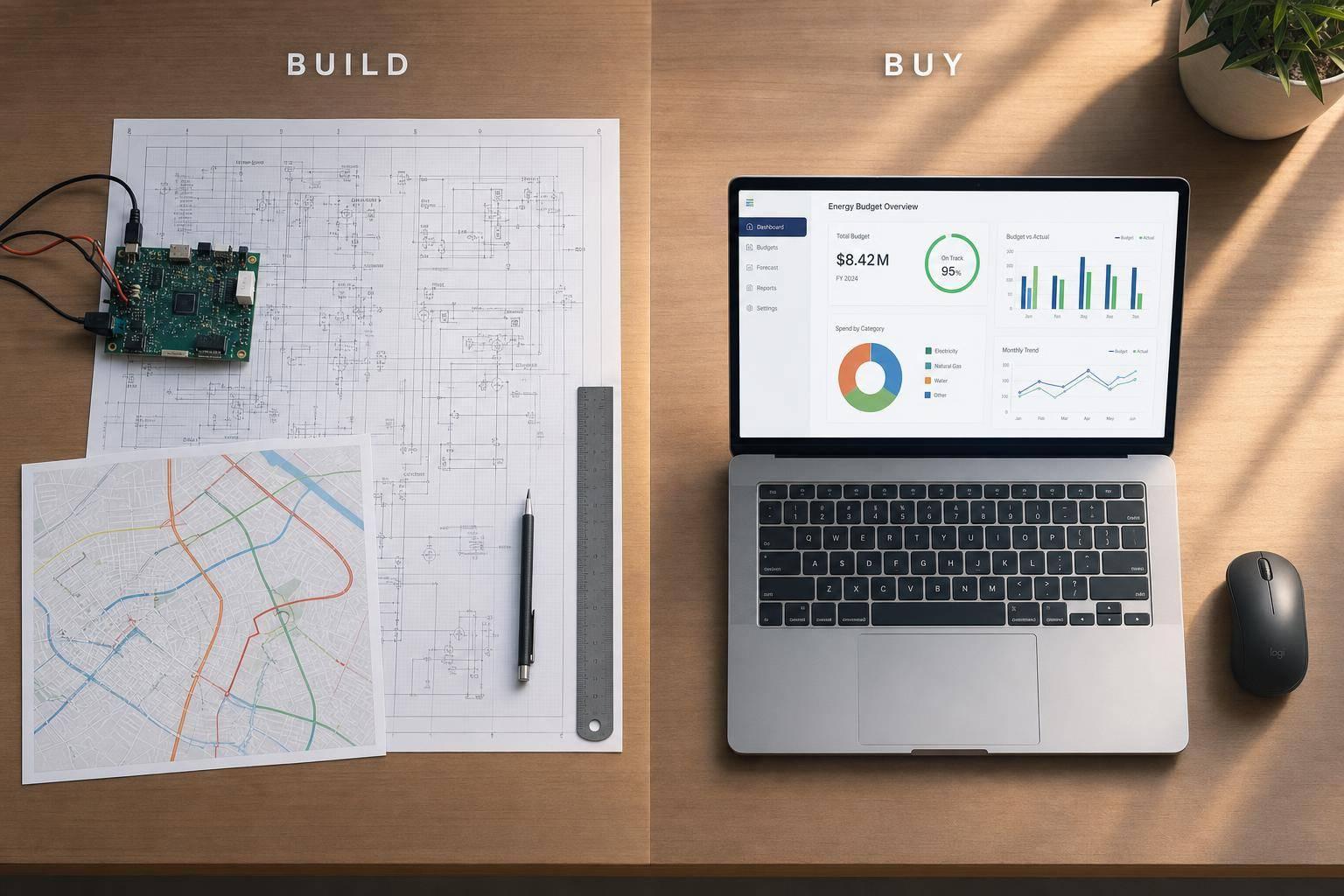
If you need a working system in 45–90 days, buying usually wins. If your budget process depends on custom rate logic, SCADA data, GIS links, or niche filings, building may be the better call.
I’d boil the whole article down to this:
A few numbers make the trade-off clear:
What matters most is simple: cost, rollout time, integration depth, reporting limits, approvals, and scale. If your team is lean and your needs are mostly standard, buying is often the lower-risk path. If your business runs on data flows and rules that off-the-shelf tools can’t support, building can make sense.
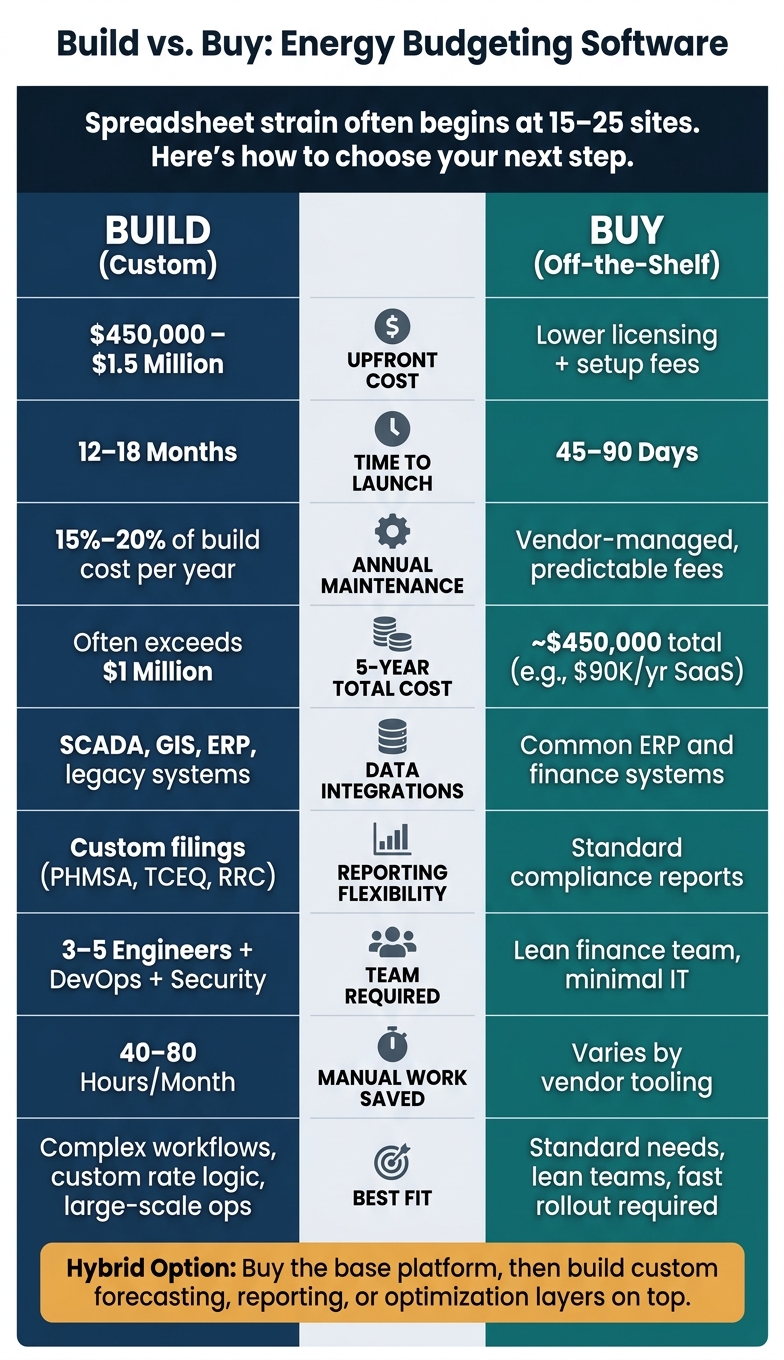
Build vs Buy Energy Budgeting Software: Cost, Time & Key Trade-Offs
| Criteria | Build | Buy |
|---|---|---|
| Upfront cost | High: $450,000–$1.5 million | Lower: license + setup fees |
| Time to launch | 12–18 months | 45–90 days |
| Data integrations | Best for SCADA, GIS, ERP, legacy systems | Best for common ERP and finance data |
| Reporting | Better for niche filings and custom outputs | Better for standard reporting |
| Internal team load | High | Lower |
| 5-year cost | Often higher | Usually more predictable |
| Best fit | Complex workflows and custom logic | Standard needs and lean teams |
If I were making the call, I’d start with one question: is your budgeting software part of your edge, or just a system you need to run the business well? That answer usually points you in the right direction.
A custom build gives you a platform shaped around your rates, workflows, data sources, and reporting rules. That level of control matters most when standard tools can't handle your rate logic, asset data, or regulatory reporting. For growth-stage teams, the main question is simple: is that control worth the money, time, and headcount?
A custom utility budgeting platform usually needs a team of 3 to 5 engineers and an upfront investment of $450,000 to $1.5 million before it's ready for live use [6]. Smaller, more focused builds - like compliance reporting automation or a production dashboard with SCADA integration - can cost $30,000 to $120,000, depending on scope [5].
Maintenance doesn't go away after launch. It's a constant job. Security patches, API updates, cloud infrastructure, and data governance often add 15% to 20% of the initial build every year [9].
There's also the tradeoff nobody can ignore: every engineering hour spent on the platform is an hour not spent on customer-facing work.
Time is another hard limit. A realistic MVP often takes 12 to 18 months [6]. And the work doesn't stop with software engineers. You'll likely need data architects, DevOps specialists, and security experts to meet compliance standards like SOC 2 or ISO 27001 [1].
This is where custom builds often beat off-the-shelf tools: data connectivity. A well-architected platform can pull data straight from SCADA systems, ERP platforms, GIS tools, smart meter telemetry, and legacy systems. That cuts out the manual exports and imports that create operating risk when integrations get messy [5][10].
That kind of flexibility matters most when your reporting needs don't fit a standard template. Custom systems can support multiple customer types and complex billing and rate scenarios, produce the outputs your team actually uses, and automate filings like PHMSA, TCEQ, or RRC reports. In practice, that can remove 40 to 80 hours of manual work per month [5].
Building isn't the right move for every company. It makes the most sense when your operating model is meaningfully different - when off-the-shelf tools need so many workarounds that your team ends up fighting the software every day.
"Custom development makes certain you design and build your platform per your user's requirements, for example, ensuring that your platform can support multiple customer types and complex billing and rate scenarios." - Mike Murphy, Centric Consulting [4]
The table below shows where custom builds have a clear edge, where the risk is real, and what kind of business is most likely to benefit.
| Build Advantage | Build Risk | Best-Fit Business Condition |
|---|---|---|
| Full interoperability with SCADA, ERP, and legacy systems [10] | High upfront costs and longer time-to-market [4][6] | Specialized forecasting or proprietary operating models [4] |
| Direct pipelines for automated regulatory and ESG reporting [5] | Key-person risk where knowledge is held by a few developers [1] | Complex regulatory structures (e.g., PHMSA, TCEQ, RRC) [5] |
| Modular scalability across multi-regional portfolios [10] | Technical debt accumulation if shortcuts are taken during MVP [1] | Strong internal data and finance capability with available engineering bandwidth [4] |
| Cost predictability at scale as operations grow [4][6] | Responsibility for ongoing security patches and SOC 2 compliance [1][6] | Large-scale operations where SaaS licensing becomes cost-prohibitive [4] |
Start with the single most expensive manual workflow - field ticketing, compliance aggregation, or production reporting - and build that module first.
If those needs are standard, the buy case gets stronger.
Buying means licensing a SaaS budgeting platform instead of building one yourself. You get standard workflows, prebuilt integrations, and vendor-run infrastructure, security, backups, and updates. For growth-stage energy and utility companies, that deal often makes sense when speed matters more than owning the software. If your needs are fairly standard, buying is usually the faster move.
Cost and speed tend to be the first two filters.
A specialized retail energy platform can cost about $90,000 per year. A similar custom build can top $545,000 in year one. Over five years, SaaS stays close to $450,000 total, while custom software can go past $1 million [11].
Standard utility platforms can go live in 45 days. More complex portfolios usually need 60 to 90 days [6].
Vendor support also takes a lot off your plate. The vendor handles maintenance, security certifications, backups, infrastructure, and regulatory updates, which can save your team a lot of time and hassle.
Off-the-shelf tools work best when budgeting inputs are mostly standard financial and HR data connected to common ERP systems [4][8].
They start to struggle when the setup gets messy. That includes mixed-vintage equipment, hybrid renewable-grid supply models, custom rate structures, high-volume interval meter data, or niche SCADA and GIS integrations [3][8]. Generic reporting templates are usually fine for board-level summaries, but they may not go far enough for highly specific regional regulatory filings [8].
Buying makes sense when the platform covers about 80% of your requirements without heavy customization [4].
This route fits best when your budgeting needs follow common industry patterns, your finance team is lean, and you don't want to own and maintain software over the long run.
The trade-offs are easier to see side by side.
| Buy Advantage | Buy Limitation | Best-Fit Business Condition |
|---|---|---|
| Rapid deployment | Rigid workflows may require changes to business processes [6] | Lean finance teams with limited IT resources |
| Lower TCO | Integration gaps with niche legacy systems like SCADA or GIS [3][8] | Pressure to improve board reporting quickly |
| Vendor-managed maintenance | Generic reporting may not cover specialized regulatory filings [8] | Standardized budgeting across common asset types |
| Lower five-year total cost than a custom build [11] | Feature limitations tied to the vendor roadmap [4] | Limited appetite for long-term software maintenance |
A side-by-side view makes the trade-offs easier to see. The table below sums up the main differences.
| Criteria | Build (Custom) | Buy (Off-the-Shelf) |
|---|---|---|
| Upfront Cost | High: $450,000–$1.5 million before first launch [6] | Lower licensing and implementation fees |
| 5-Year TCO | Very high once maintenance, security, and technical debt are included - ongoing upkeep typically adds 15%–20% of initial development cost per year [1][6] | Predictable recurring fees and minor configuration [7] |
| Rollout Time | 12–18 months for a working MVP [6] | 45–90 days for most deployments [6] |
| Integration Depth | Fully tailored to SCADA, GIS, and ERP systems [1] | Pre-built connectors for ERP and meter systems [6] |
| Reporting Flexibility | High for niche filings [5] | Strong for standard compliance reports [2] |
| Approvals and Controls | Custom-coded approval workflows [12] | Standardized approval workflows [12] |
| Scalability | Constrained by internal development capacity [12] | Cloud-native; adding sites has low marginal cost [2] |
As the portfolio grows, the decision starts to change. At first, a custom system can look like the better fit. But once growth picks up, the bottleneck is often your team’s time and capacity.
A custom build can turn into a burden as complexity stacks up. Every new entity, data source, or reporting requirement adds more work for the team to handle. The risk also climbs when key know-how lives with only a small group of developers or subject matter experts [1][12]. That’s fine for a while - until one person leaves, priorities shift, or the backlog gets too long—at which point many firms transition to fractional CFO services to maintain strategic oversight.
Commercial tools move faster, and that speed matters when the business is scaling and internal bandwidth is already tight [12][1]. You’re not asking your team to code every workflow from scratch. Instead, they can spend more time on the parts of the business that need close attention.
A hybrid model often makes the most sense when only a few layers set you apart: buy the commodity stack, then build the custom forecasting or optimization layer.
After looking at cost, rollout time, integration depth, and reporting limits, the choice comes down to fit. The main trade-off is pretty simple: build gives you control; buy gives you speed and easier ownership.
Build only if standard tools can't handle your core workflows. If an off-the-shelf platform covers most of what you need, buying usually wins on time, cost, and team capacity. And if only a few layers need to work differently, a hybrid approach can make a lot of sense: buy the base, then build custom analytics on top.
Use the questions below to pressure-test which path fits your business right now.
80% coverage is a common benchmark for deciding if an off-the-shelf product is good enough. If it meets at least 80% of your documented requirements without major customization, buying is usually the better move.
That said, it’s just a starting point. If the missing 20% includes features tied to your core competitive edge or a strong customer experience, custom development may still make more sense.
Look past the sticker price and compare the total cost of ownership over five years.
For off-the-shelf software, that means adding up more than the base subscription. Include subscription fees, price increases, upgrades, connectors, add-on tools, and the cost of manual workarounds. Those extras can pile up quietly over time.
For custom development, count the full build and support work: discovery, design, development, QA, deployment, data migration, training, maintenance, hosting, documentation, refactoring, and roadmap updates. It’s a longer list, no doubt, but it gives you a more honest view of what you’re paying for.
Year-one costs often make off-the-shelf tools look like the cheaper pick. Over five years, though, the math can change. Once add-ons, extra labor, and workarounds start stacking up, custom development may not look as far apart as it did at the start.
A hybrid approach usually makes the most sense when you need to balance speed and day-to-day business needs with something that gives you an edge.
Use off-the-shelf software for common tasks. It helps you launch faster and lean on systems that have already proven they can handle growth.
Then build custom features for the parts of the business that set you apart or depend on specialized workflows, operations, or data needs.