Published on
March 26, 2026

Struggling with cash flow issues? You're not alone. Over 91% of small businesses face these challenges, with 31% delaying crucial payments like payroll. The culprit? Outdated, manual accounts payable (AP) processes. AP automation offers a solution by digitizing and streamlining the invoice-to-payment workflow.
Here's what AP automation can do for your business:
Companies using AP automation report better financial performance, faster payment processing, and stronger vendor relationships. By implementing tools like AI-driven data capture and integrated payment systems, businesses can transform AP from a cost center into a financial management hub.
Want to take control of your cash flow? Start with AP automation.
Automating accounts payable reshapes how businesses manage their finances. By using AI-driven tools, invoices are captured and entered into the approval process instantly, cutting out the delays caused by paper-based systems or emails stuck in inboxes[6]. The moment a vendor submits an invoice, it becomes visible as a liability, keeping businesses informed.
This kind of immediate insight is essential. A 2024 report found that 84% of small business owners felt inflation was impacting their operations, with 40% actively reassessing cash flow and spending strategies[5].
Eric Calaman, Business Executive at Bank of America, emphasizes, "Business owners are often, by necessity, very focused on what's happening here and now, but they also need to plan ahead."[5]
Let’s dive into some specific features that make real-time visibility a reality.
Automated systems centralize invoice information, giving teams in procurement, accounting, and operations access to real-time data[4]. Vendor portals streamline this process, ensuring every invoice is traceable and eliminating the common issue of misplaced or overlooked invoices[6]. This transparency provides finance teams with an accurate, up-to-date view of liabilities.
With this information, businesses can make smarter payment choices. Instead of paying bills as they come in, finance teams can prioritize payments based on factors like due dates, early-payment discounts, or key vendor relationships[5][6]. Automated tools also reconcile accounts daily and flag upcoming obligations, helping businesses avoid last-minute surprises[5].
As Calaman advises, "The best way to monitor cash flow is to use a budgeting tool that can categorize expenses and identify any potential shortfalls before they occur." For many, fractional CFO services provide the strategic oversight needed to implement these tools effectively.[5]
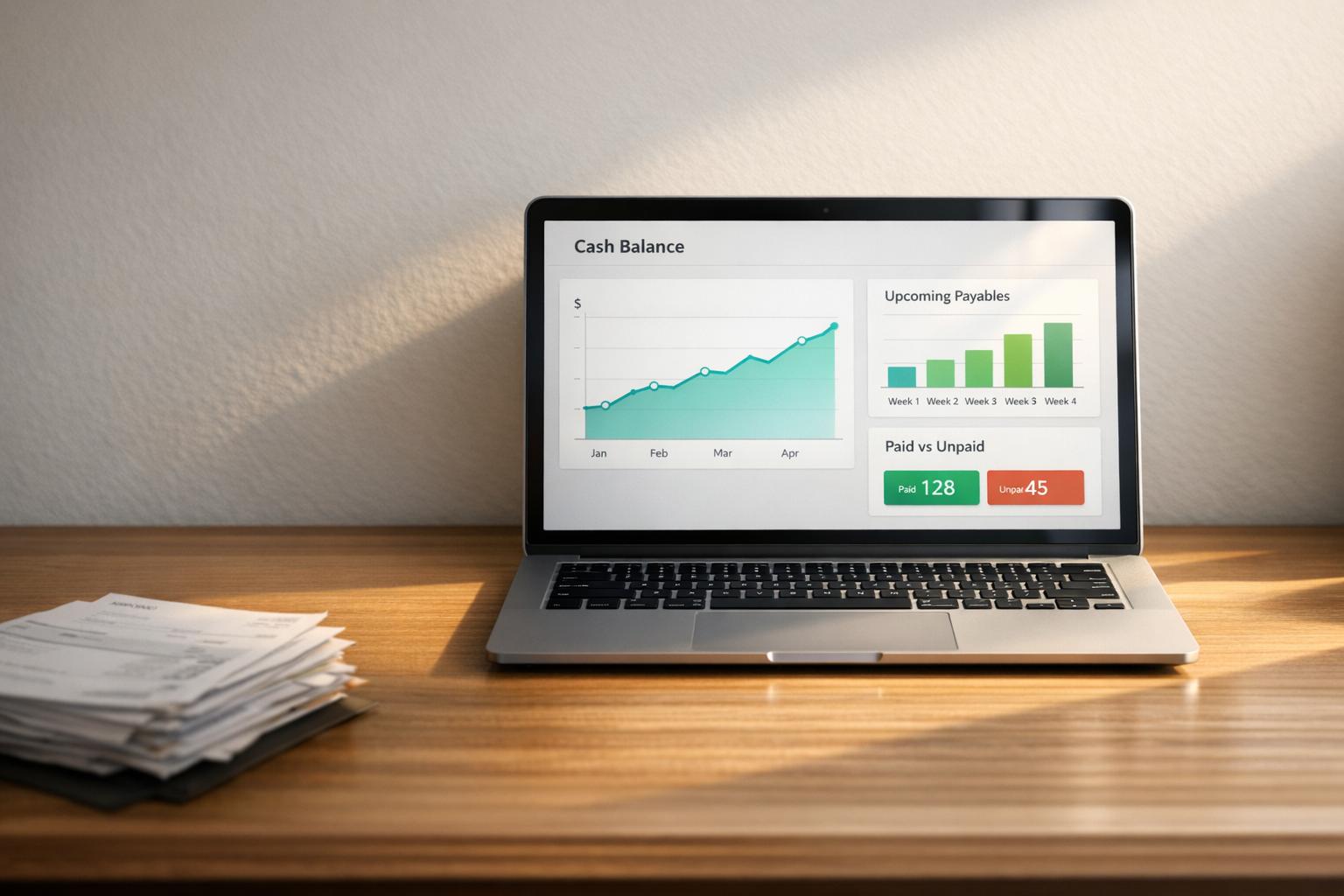
Centralized dashboards bring all invoice data into one accessible view, showing outstanding invoices, approval statuses, and upcoming payments at a glance. This functionality eliminates the need to dig through spreadsheets or email threads, making decision-making faster and more efficient. In fact, up to 95% of businesses report improved visibility into their payables after switching to automation platforms[9].
Audit trails add another layer of transparency and accountability. Every action in the system is logged with a timestamp and user attribution[4]. This makes it easier for managers to identify and address bottlenecks in the approval process.
These trails also help prevent fraud. Automated systems can flag suspicious activity, such as duplicate invoices, unauthorized changes to vendor banking details, or mismatched amounts, before payments are made[8][9]. For public sector organizations, such safeguards are especially critical.
Building on real-time tracking and oversight, predictive analytics take automation to the next level by forecasting future cash flow needs. These systems use AI to analyze past transaction data, uncover spending patterns, and recommend optimal payment schedules[7][8]. By balancing vendor terms, cash availability, and discount opportunities, businesses can make the most of their working capital[9].
Predictive tools also act as an early warning system. For example, if a vendor suddenly changes their banking details or starts submitting invoices more frequently than usual, the system flags it as a potential risk[8]. With only 13% of finance departments fully automated today[7], adopting these tools can give businesses a major edge in navigating cash flow challenges.

Manual vs Automated AP Processing: Cost, Time, and Efficiency Comparison
For companies experiencing rapid growth, AP automation offers three major advantages that directly improve cash flow management and operational efficiency. These benefits become especially critical when invoice volumes increase but staffing resources remain limited.
Automated systems provide finance teams with instant visibility into all outstanding liabilities and upcoming due dates. Instead of sifting through emails or spreadsheets to track payments, teams can access a centralized dashboard for a clear overview. This enables smarter payment scheduling - balancing vendor terms, cash availability, and opportunities for early-payment discounts, rather than rushing to meet deadlines[9].
The cost savings are hard to ignore. Companies relying on manual processes spend four times more per invoice compared to those using automated systems. Manual costs range from $12 to $40 per invoice, while automation reduces this to about $3.25 per invoice[13]. For growth-focused businesses, these savings can quickly make a big difference.
Take Veckridge Chemical, for example. This industrial chemical distributor transitioned from a manual workflow to NetSuite ERP with AP automation. By integrating bill capture and payment processing with purchase-order data, the system now auto-generates vendor bills and routes them for electronic approval. The result? Staff reclaimed valuable time, and leadership gained immediate insight into future cash needs[13].
Automation shines a spotlight on where invoices are getting stuck. If an invoice lingers in someone's inbox for too long, the system flags the delay. This allows finance teams to intervene before vendor relationships are strained or late fees are incurred. This is crucial, as 41.4% of professionals acknowledge that payment delays harm supplier relationships[10].
The time savings are substantial. On average, manual invoice processing takes 9.2 days, while automated teams can complete the same task in just 8.72 hours[11]. Manual teams also spend about 3.1 days per week addressing supplier inquiries, compared to only 5.36 hours for automated teams[11].
For instance, Store Display Fixtures, a growing supplier, used to spend 20 to 30 minutes paying just five vendors. After adopting AP automation, they reduced the time to pay five vendors to just 2 to 3 minutes, while also gaining the ability to pay dozens of vendors simultaneously[13].
With real-time, accurate data on payment obligations, finance teams can forecast cash flow needs with precision and allocate resources more strategically. This is critical when 91% of small businesses face cash flow issues, and 31% report missing or delaying key payments like payroll or rent due to inefficiencies in manual processes[1].
Automation also increases operational efficiency. For example, Carrot-Top Industries, a retailer based in North Carolina, implemented NetSuite Bill Capture and Payment Automation to handle the demands of their growing e-commerce business. The result? AP labor costs were cut by 50%, and hours were shaved off the month-end close, enabling the company to manage higher order volumes without hiring additional staff[13].
"Automating accounts payable isn't just about tech getting better - it's really a game-changer in the way cash flow can be more effectively managed." - Steve Tackett, EVP of Operations, Priority[3]
Companies using automated AP solutions process 64% more invoices each month and save an average of 20% on costs[11]. For growth-stage businesses, this means handling increasing transaction volumes without a corresponding rise in administrative expenses - a critical advantage when resources are stretched thin.
Rolling out AP automation works best when done in stages. Start with invoice intake and data extraction, move on to matching and coding, and wrap up with policy-based approvals and payment orchestration [2].
A smooth integration with your ERP system is crucial. Use vendor-approved APIs, event hooks, or secure connectors to link systems like SAP, Oracle, or Workday. This allows AI tools to access purchase orders and receipts from the ERP and update it with vouchers and status changes [2].
"The safest way to integrate AI into AP is to wrap your ERP and P2P systems with AI Workers that use approved APIs, event hooks, and secure connectors while preserving your existing control framework." - Austin Braham, Everworker.ai [2]
Before going live, test automation in "shadow mode" by running it on historical invoices. This helps identify and fix any issues with extraction or matching before they impact real payments [12]. Begin with high-volume, low-variance invoices like recurring services, utilities, or PO-backed invoices from reliable vendors - these are ideal for initial rollouts [12].
Once integration is secure, focus on streamlining the approval process by defining workflows and permissions clearly.
Map out your entire invoice-to-pay workflow to pinpoint delays [15]. Then design approval hierarchies based on factors like dollar amount, cost center, category, and entity. Hard-code these rules into the system to enforce segregation of duties, ensuring no single person can create, approve, and pay the same invoice [14][15].
To prevent bottlenecks, set up automatic escalation rules. For example, if an invoice isn't approved within a specific timeframe, the system should escalate it to another approver [14][15]. For sensitive actions, like updating vendor bank details, require dual approvals [14][15]. Before launching, clean up vendor data by removing duplicates and inactive entries to avoid automating existing issues [15].
| Metric | Manual Process | Automated Rules |
|---|---|---|
| Cycle Time (Receipt to Approval) | 10–20+ Days | 1–5 Days |
| Cost Per Invoice | $10–$19 | $4–$9 |
| Duplicate Payment Rate | 1–2% | <0.2% |
Once workflows are in place, leverage AI tools for better data capture and validation.
With workflows established, AI-driven tools can take accuracy and efficiency to the next level. Intelligent Document Processing (IDP) can read PDFs and emails, extract invoice data with precision, and validate it against vendor master data [2]. The system can also learn from past transactions and vendor contracts to automatically assign GL accounts, cost centers, and tax codes [2].
However, human oversight remains essential for handling complex cases like unclear purchase orders, disputed charges, or onboarding new vendors [12]. The aim is to free up human judgment for tasks that truly need it.
"The goal isn't to remove human judgment. It's to stop spending human judgment on work that doesn't require it." - Ameya Deshmukh [12]
By adopting AI-powered AP automation, companies can cut invoice processing costs by 30–60% compared to manual methods [2]. A suggested 90-day rollout plan could look like this:
Once AP automation is up and running, the next step is proving its value. A straightforward ROI formula can help quantify the benefits:
Annual Benefit = (Labor Savings) + (Working Capital Gains) + (Fraud Prevention) - (Software + Implementation Cost) [17].
Many organizations find that the investment pays off within weeks or months [18].
Start by establishing a baseline for key metrics like cost per invoice, processing time, exception rates, and discount capture rates [18]. For example, the average cost of processing a manual invoice is $15.96, compared to just $2.36 with automation [18]. The time savings are equally striking: manual processing averages 10.1 days, while automated systems bring that down to about 3.2 days [18].
A CFO-grade dashboard is essential for tracking the metrics that matter most to cash flow visibility [16]. One critical metric is Days Payable Outstanding (DPO), which shows how effectively payment timing aligns with cash conversion cycle goals [16]. Another key indicator is the Early-Payment Discount Capture Rate. Automated companies in the top quartile capture discounts 78% of the time, compared to just 23% for those relying on manual processes [18]. For a company spending $50 million annually with vendors, improving discount capture can translate into $650,000 in yearly savings [17].
Other important metrics include the On-Time Payment Rate, which should aim for 95%+ to ensure predictable cash outflows and strong supplier relationships. The First-Pass Match Rate measures how many invoices match purchase orders and receipts without manual intervention. AI-powered systems can reduce 3-way match exception rates from 12–15% to just 3–5% [17]. Set quarterly goals to keep improving, such as increasing your touchless processing rate by 20% or cutting exceptions by 30% [16].
| Metric | Manual Baseline | Automated Target |
|---|---|---|
| Processing Time | 15 mins/invoice | 2 mins/invoice |
| Exception Rate | 12–15% | 3–5% |
| Productivity | 50 invoices/FTE/day | 300 invoices/FTE/day |
| Month-End Close | 12 days | 7 days |
Review operational KPIs like cycle time and exceptions weekly, and track strategic KPIs such as DPO and purchase order (PO) coverage on a monthly basis [16]. Segment these KPIs by supplier tier. For critical suppliers, aim for 98–100% on-time payments, while for non-critical suppliers, adjust terms to optimize working capital [16].
These metrics highlight the transformative impact of automation on operational and financial processes.
With AP automation improving efficiency, finance teams can pivot from transactional tasks to strategic analysis. Metrics-driven insights empower better decision-making, and organizations with end-to-end AP automation report 47% better cash flow management [20].
Phoenix Strategy Group’s fractional CFO and FP&A services specialize in helping growth-stage companies measure ROI and elevate their AP teams. These experts shift the focus from invoice processing to exception resolution and broader financial strategy [16][17]. Using automated purchasing analytics, they track vendor performance and spending trends, which strengthens negotiating power for better terms [21][22]. Real-time dashboards also help pinpoint approval bottlenecks, enabling targeted adjustments that improve overall financial processes [19][21].
"The true ROI of AP automation isn't about how fast invoices move - it's about how intelligently payments flow. Smarter payments turn AP from a cost center into a value driver." - OneSource Virtual [20]
When presenting ROI, include business impact metrics like annual savings and payback periods [18]. Use conservative estimates - such as 70% of vendor-claimed savings - to maintain credibility [18]. If actual results outperform these projections, it strengthens the case for future automation initiatives.
AP automation reshapes how growth-stage companies manage cash flow by replacing outdated, reactive month-end reporting with real-time dashboards. These dashboards give finance teams a live view of unbilled purchase orders, pending invoices, and scheduled payments [23]. This eliminates the guesswork in working capital decisions, empowering leaders to align payment timing with strategic goals.
The financial impact is immediate and measurable. Most companies see a full return on investment within 6 to 12 months. Invoice processing costs drop dramatically - from $12–$40 to approximately $3.25 - while processing times are reduced by up to 83% [13][23]. These efficiencies free finance teams to focus on high-value tasks like negotiating better payment terms or uncovering cost-saving opportunities.
"AP is no longer a full-time job. Our staff accountant can now spend less time on manual processing and more time on strategic work like cash management, and other general ledger work." - Zach Doyle, Accounting Manager at Advisor360° [24]
To build on these advantages, Phoenix Strategy Group's fractional CFO and FP&A services help growth-stage companies implement and fine-tune AP automation systems. Their expertise ensures seamless integration with existing ERPs, tracks the right KPIs, and equips finance teams to use predictive analytics for accurate cash forecasting. This is especially critical for fast-growing companies, where automation can handle increased transaction volumes without requiring additional staff [23][24].
To improve cash flow visibility, begin by automating your invoice processing and approval workflows. Automation speeds up data capture, reduces errors, and enables real-time tracking of payment delays and responsible parties. By simplifying these steps, businesses can make quicker, well-informed financial decisions based on accurate data.
AP automation connects directly with your ERP system through APIs, enabling real-time data synchronization. This setup allows for smooth data sharing, reduces the need for manual input, minimizes errors, and ensures the integrity of your data remains intact.
When businesses implement AP automation, certain key performance indicators (KPIs) highlight how it enhances cash flow visibility. These include:
These metrics not only provide a clearer picture of a company's financial health but also empower leaders to make smarter, data-driven choices.